CarPlay Adapters vs. Multimedia Video Boxes: Which Car Tech Upgrade Is Right for You?
If you’ve ever climbed into your car, looked at a clunky, outdated touchscreen, and thought “there has to be a better way” — you’re not alone. Millions of drivers are sitting behind the wheel of vehicles that were manufactured before wireless connectivity became standard, and they’re looking for smart ways to bring their infotainment systems into the modern era without spending thousands on a new car.
The good news? The aftermarket car tech industry has matured significantly. Today, there are two primary upgrade paths worth knowing about: wireless CarPlay/Android Auto adapters and multimedia video boxes (also called AI boxes). Both can transform your driving experience, but they work differently and suit different needs. If you’re not sure where to start, it helps to first explore Carlinkit CarPlay solutions to get a sense of the full range of options available before committing to a direction. This guide breaks down exactly how each one works, who it’s best for, and how to pick the right option in 2026.
What Are Wireless CarPlay Adapters?
A wireless CarPlay or Android Auto adapter is a compact dongle that plugs into your car’s existing USB port. If your vehicle already supports wired Apple CarPlay or Android Auto, this device converts that connection into a wireless one — no cable required.
The setup is typically straightforward: plug in the adapter, pair it with your phone via Bluetooth once, and from that point on, CarPlay or Android Auto launches automatically every time you start your car.
For drivers who are ready to cut the cord for good, a dedicated product like the upgrade your car to wireless CarPlay solution from Carlinkit makes the transition seamless — no tools, no installation appointment, and no technical knowledge required. Just plug in and drive.
Who it’s ideal for:
- Drivers who already have a wired CarPlay or Android Auto system built into their car
- People who primarily want phone mirroring: navigation, calls, music, messages
- Those who want a fast, plug-and-play solution with minimal setup
Key advantages:
- No permanent installation needed
- Typically affordable (ranging from $50 to $150)
- Works seamlessly with the car’s existing interface
- Maintains the OEM look and feel
Limitations:
- Only mirrors your phone — you’re dependent on your phone being charged and connected
- Cannot run standalone apps, stream content independently, or work without a paired phone
- Not compatible with cars that lack any native CarPlay/Android Auto support
If your factory head unit already supports CarPlay but you’re tired of fumbling with a USB cable, a wireless adapter is likely the simplest, most cost-effective upgrade you can make.
What Are Multimedia Video Boxes (AI Boxes)?
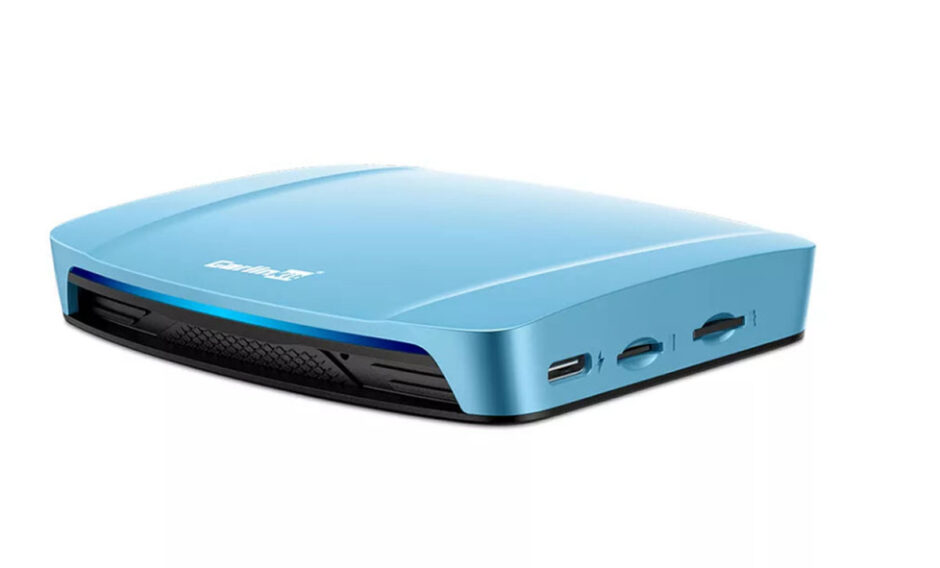
Multimedia video boxes — often called AI boxes or Android AI boxes — represent a more powerful category of car tech upgrade. These are Android-powered units that connect to your car’s existing screen and give it a full smart operating system.
Rather than mirroring your phone, an AI box runs independently. It has its own processor, built-in Wi-Fi, Bluetooth, and in some cases its own GPS module. You can install apps directly, stream Netflix or YouTube, use Google Maps, and run Android applications — all without your phone.
For drivers who want the closest thing to a next-generation infotainment system without replacing their head unit, this is the category to explore. A strong example of a dedicated product line in this space is the Carlinkit Tbox, which is designed to deliver full Android functionality through your existing car display while maintaining native CarPlay and Android Auto compatibility.
Who it’s ideal for:
- Drivers whose cars have a display screen but no built-in CarPlay or Android Auto
- Tech enthusiasts who want full app access, video streaming, and offline maps
- Anyone who wants a self-contained smart system that doesn’t rely on phone connectivity
Key advantages:
- Full Android OS — install any APK or Play Store app
- Works independently of your phone
- Supports streaming, offline navigation, and split-screen
- Many models retain backward compatibility with wired CarPlay
Limitations:
- Slightly more involved setup than a simple dongle
- Higher price point, typically $100–$300 depending on specs
Side-by-Side Comparison
| Feature | Wireless CarPlay Adapter | Multimedia Video Box |
| Compatible with | Cars with wired CarPlay/Android Auto | Cars with any display screen |
| Runs without phone | ❌ No | ✅ Yes |
| App installation | ❌ Phone apps only | ✅ Full Android apps |
| Setup difficulty | ✅ Plug-and-play | ⚠️ Moderate |
| Price range | $50–$150 | $100–$300 |
| Video streaming | ⚠️ Via phone only | ✅ Standalone |
| GPS navigation | ⚠️ Via phone | ✅ Built-in (model dependent) |
| Retains OEM look | ✅ Yes | ⚠️ Partially |
Which One Should You Choose?
The answer really comes down to two questions: what does your current car support, and what do you actually want from the upgrade?
Choose a wireless CarPlay adapter if:
- Your car already has wired CarPlay or Android Auto
- You just want to eliminate the cable and keep things simple
- You don’t need your car’s screen to work independently of your phone
Choose a multimedia video box if:
- Your car’s screen has no smart functionality at all
- You want to stream video, use navigation offline, or run Android apps
- You’re willing to invest a little more for a significantly richer feature set
For most people upgrading older vehicles — especially those with non-smart factory screens — the multimedia video box tends to deliver a more dramatic improvement. The ability to run a full operating system from your car’s existing display is a substantial leap forward.
Regional Availability: Why It Matters More Than You Think
Once you’ve decided which type of upgrade fits your needs, the next question is: where do you buy it?
This matters more than most people realize. Purchasing from a localized official storefront means you benefit from regional warranties, faster shipping, local customer support, and pricing in your native currency. A product shipped internationally can come with customs delays, incompatible power specifications, or no viable return option if something goes wrong.
Buying from brand-authorized regional channels is simply a smarter purchase — especially for tech products where firmware support and warranty claims may depend on where you bought the device.
Final Thoughts
Both wireless CarPlay adapters and multimedia video boxes solve the same frustration — a car that feels stuck in the past — but they do so in very different ways. An adapter is the quick fix for a car that’s almost there. A video box is the bigger upgrade for a car that needs the full transformation.
Before you buy, check your car’s head unit specifications, confirm what inputs are available, and decide whether you need your setup to run independently of your phone. From there, the choice becomes clear.
The best car tech upgrade isn’t always the most expensive one — it’s the one that fits your car, your habits, and your daily drive.